Working with the Notebook
Notebooks are composed of input, output and text cells. The input cells have “In[ ]” text to their left before they are evaluated. After evaluation a number appears between the bracket. If you see “In[23]” it means that this is the 23th input cell to be evaluated in the session. Similarily output cells have an “Out[]” to their left and the number inside the brackets displays which input cell this is the output of.
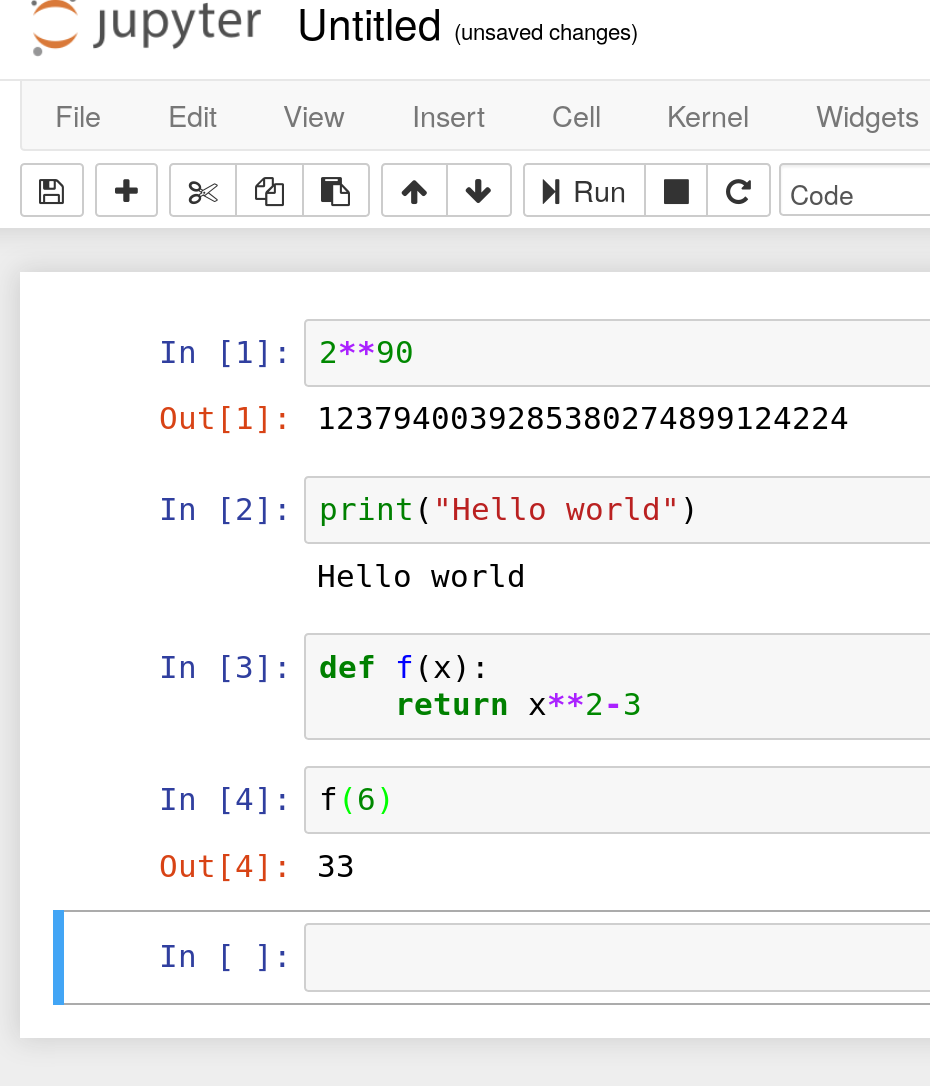
The content of the input cells is python code. You can edit the cells by clicking in them or create new cells using the “+” button from the toolbar. To execute the content of the active input cell, press shift+enter. Input cells currently evaluating have a star in the In[] bracket. While a cell is evaluating you can queue more cells for evaluation by pressing shift+enter in them. You cn interupt the evaluation using the “Interrupt” entry in the “Kernel” menu.
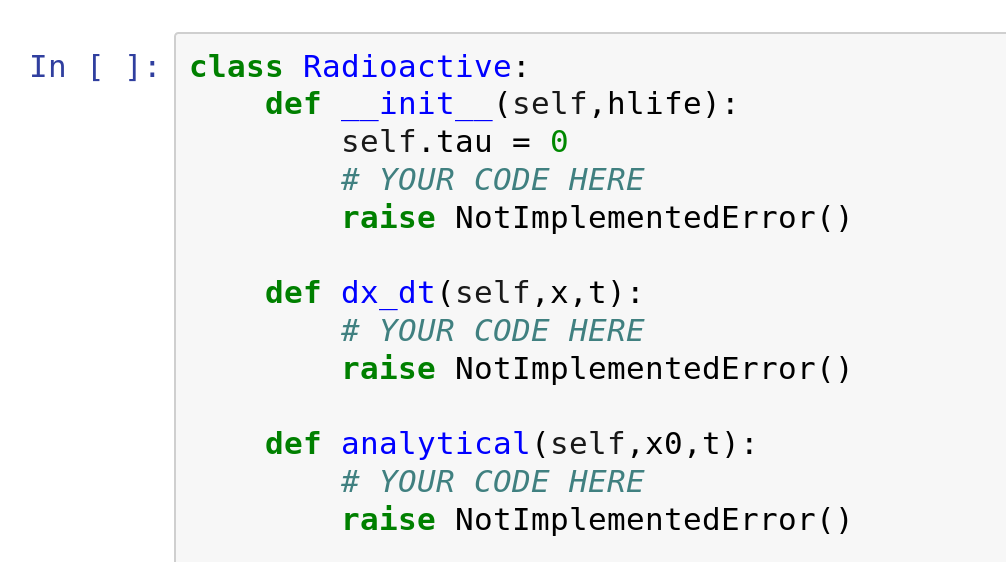
Your assignment will usually provide most of the boiler plate code and you will be asked to fill in the intersting parts. Look for “YOUR CODE HERE” in the code to find the places where you are expected to provide some code.
Most parts of the assignment will be followed by testing code that help you check that your code works as expected. The test will take the form of assert statements.

The tool bar at the top of the notebook contains a “validate” button that runs the entire notebook and allows to test that all test pass before you submit your work.